Log anything in under 3 seconds
Feeds, diapers, sleep, growth, milestones, pumping, bath, temperature, tummy time and more — one-tap shortcuts for the ones you use most.
Quick logging, a shared timeline, handoff tools, and patterns drawn from your own entries — all in one private place.
Real screens from the app you'll use tonight — not mockups, not renders.
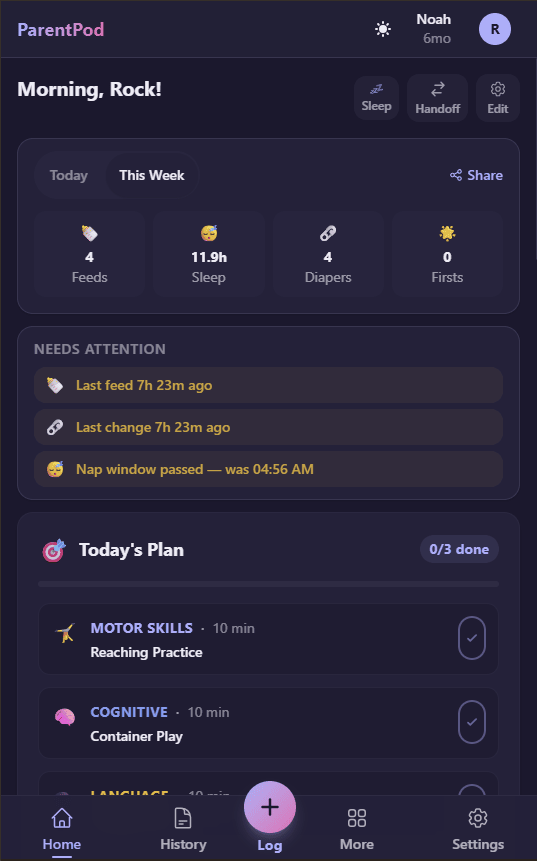
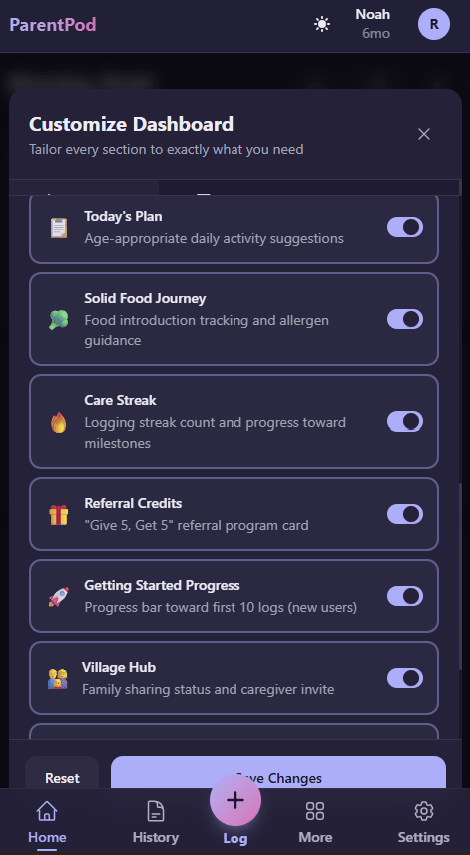
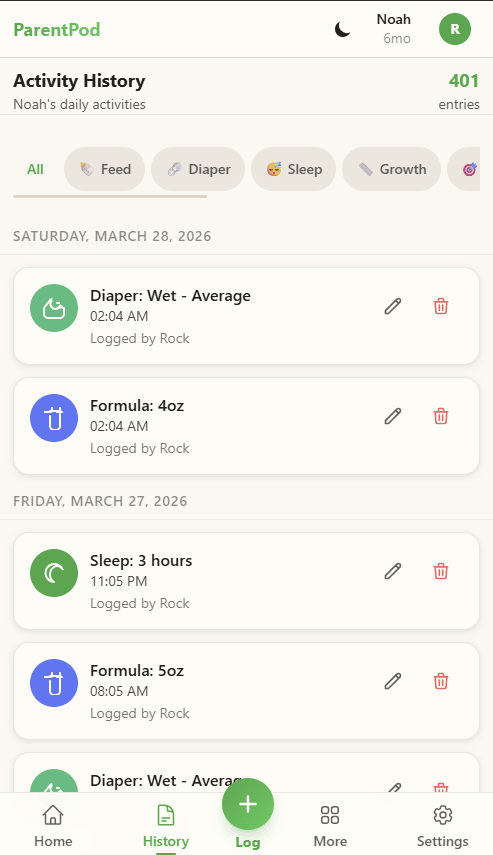
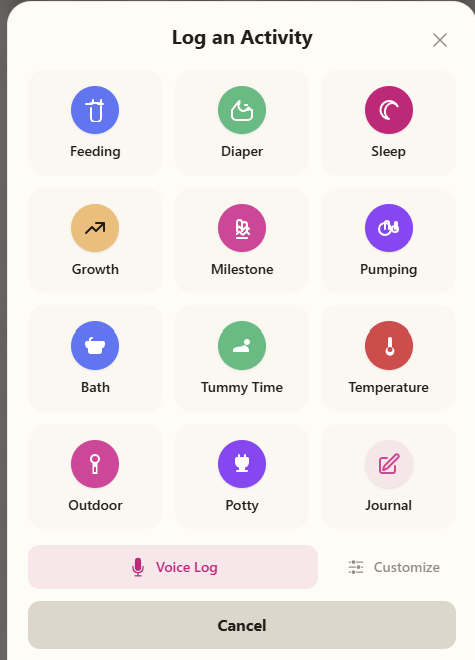
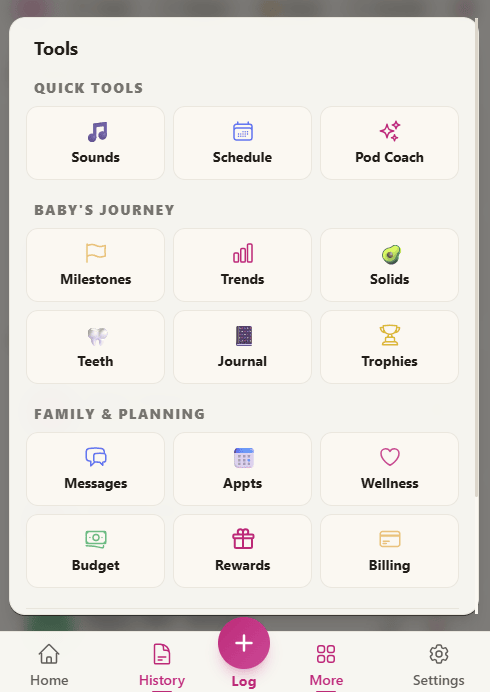
More than a dozen activity types, smart timers, voice commands, and WHO-standard growth charts. Designed for one-handed use in the dark.
Feeds, diapers, sleep, growth, milestones, pumping, bath, temperature, tummy time and more — one-tap shortcuts for the ones you use most.
Say “log 4 oz bottle” or “start nap.” ParentPod records the amount or starts the timer while your hands are full.
Background stopwatches for feeds, naps and pumping. Pause and resume as life happens — they keep running even when the app is closed.
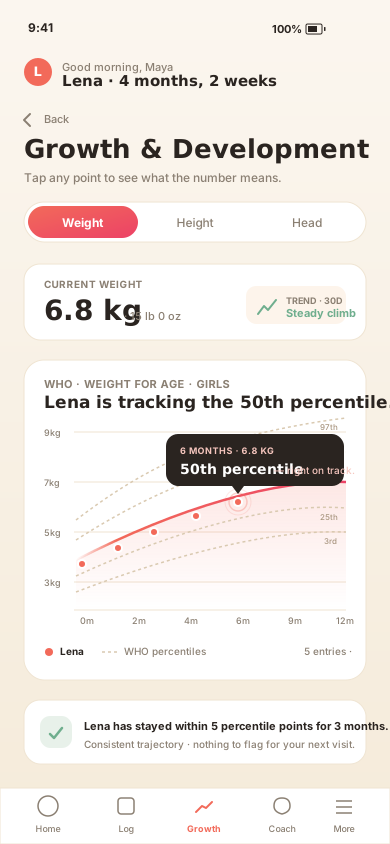
WHO-standard percentile visualization for weight, height and head circumference. See trends at a glance, not just points on a graph.
A visual map of baby teeth with eruption dates. Because first teeth deserve to be remembered — and pediatricians ask.
Private notes and memories tied to your baby’s timeline. The small things — the laugh, the face, the weird new sound — kept where they belong.
Filter by type, tap to edit, long-press to share as a PDF. Photo Log captures milestones alongside the timeline.
Every caregiver sees the same timeline the moment it happens. One-tap handoff, in-app messaging, and weekly coverage grids.
New entries sync across the care team in real time. If someone logs offline, ParentPod sends the update when their connection returns.
One tap gives you “here’s what happened since you left” — every feed, diaper, nap and note since your shift started.
Secure chat organized by child. No more crossed wires about bottle duty or what the doctor said.
Weekly coverage grid, chore assignments, and automatic conflict detection. See the whole week at a glance — and fix gaps before they happen.
Invite partners, grandparents and nannies with a simple code. Set permissions per caregiver, revoke at any time.
Proactive morning summaries and gentle alerts for the caregiver on shift. Start the day already oriented — no scrolling required.
Pod Coach points back to the entries behind its response. DreamTime uses recent sleep history to suggest the next nap window.
Ask about recent sleep, feeding, or growth entries and see which records informed the response. Medical questions still belong with your clinician.
A plain-English summary highlights differences in feeding, sleep, and activity. It provides context from your logs; it does not diagnose.
DreamTime uses your child’s recent sleep history to suggest a window. You decide what fits their cues and your day.
See measurements over time on WHO percentile curves and bring the chart to your pediatrician when you want to discuss it.
Export feeds, sleep, growth, and milestones as one PDF instead of rebuilding the week in the waiting room.
A guided setup turns your income, leave, childcare, and recurring costs into a plan you can update when life changes.
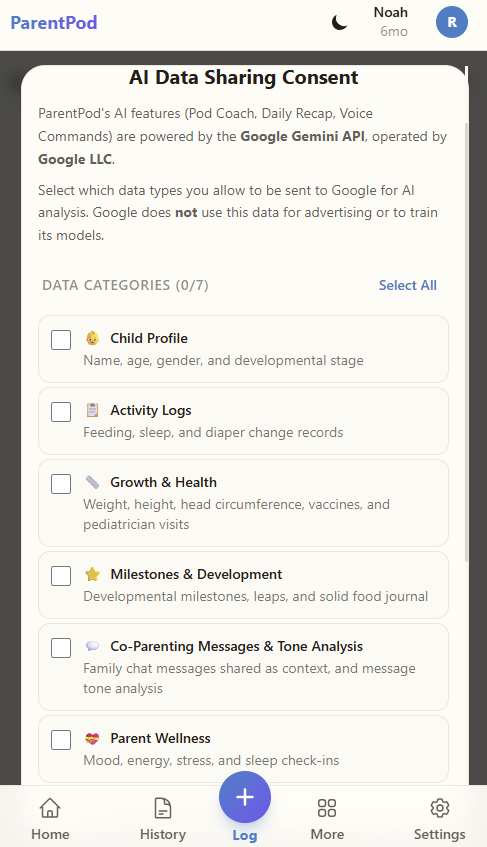
Separate consent controls cover growth, milestones, journals, and messages. Share only what helps with the question; everything else stays private.
DreamTime maps your baby's recent sleep, then suggests the next nap window. Tap the pattern to see the entries behind it.
A baby tracker that also tracks you. Gentle, optional, never judgy — because the caregiver who takes care of themselves takes better care of the baby.
Keep a useful care history without getting trapped in it. Export your records or delete the account from settings.
Tiny rewards if you want them. A zen-like minimalism if you don’t. Five themes, OLED-optimized dark mode, and more.
Badges such as Night Owl, Feeding Champion, and Super Connector are optional. Celebrate them or hide them entirely.
Track logging consistency with generous grace periods — because real life happens and sometimes you just need to sleep.
Calm Mode is one toggle. It hides every badge, streak, confetti and animation. Just the essentials, forever.
Rose, sky, sage, lavender and peach — plus an OLED-optimized dark mode for 3am feeds. Match your nursery, or your mood.
We follow COPPA, GDPR and CCPA requirements. Your data is encrypted in transit and at rest. You can export it as JSON or delete your account. We do not sell family data or use it to train models, and ParentPod does not store diagnoses or medication records. See our Privacy Policy for details.
 ParentPod
© 2026 Beyond Volatility. ParentPod™ is a product of Beyond Volatility. ParentPod is not a medical device and does not provide medical advice. Always consult your pediatrician for health decisions.
ParentPod
© 2026 Beyond Volatility. ParentPod™ is a product of Beyond Volatility. ParentPod is not a medical device and does not provide medical advice. Always consult your pediatrician for health decisions.
We use cookies for analytics to improve your experience. No personal data is sold. See our Privacy Policy.